Find your way around the console
The console is the Ipsion page where you work with your agents. An agent is an AI helper that does one kind of job for you, like research or posts. The console has five parts, and each part has a page here that names every button in it.
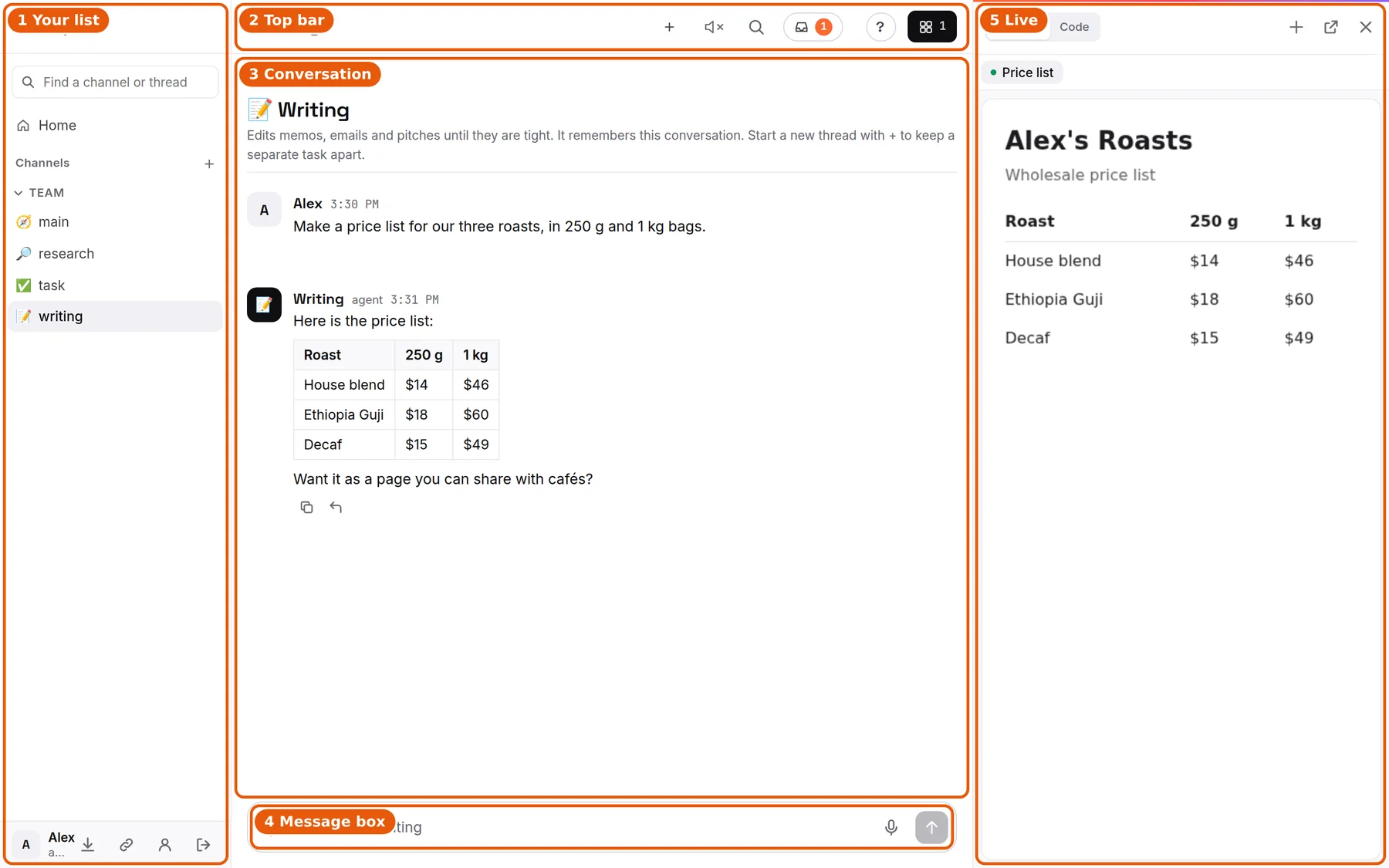
- Your list, on the left: Home, your agents, and the conversations you have with each one. At the bottom is your account.
- The top bar: the name of the chat you are in, and the buttons for that chat.
- The conversation: what you and your agent said, newest at the bottom.
- The message box: where you type, attach files or talk.
- Live, on the right: things your agents make for you, like a small website. If your agents have a web browser set up, you can watch them use it here.
Each part has its own page: Your list of agents, Your account buttons, The top bar, The conversation and the message box and The Live panel. Home, the first page you see, is explained in Your Home dashboard.
The tour
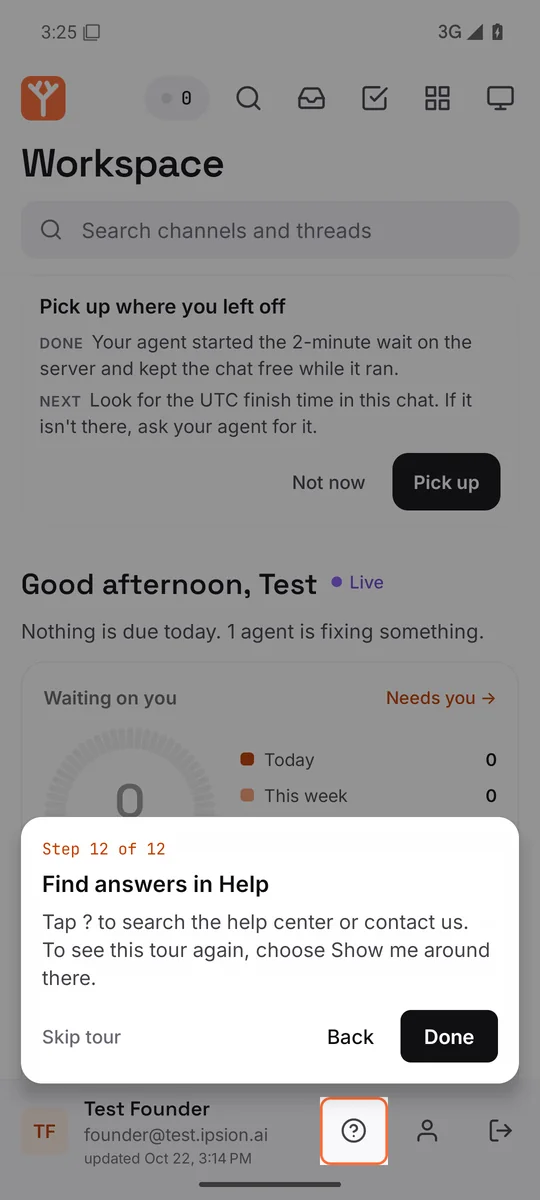
The first time you sign in, a short tour shows you around. It puts a ring around one button at a time and says what that button does and when to use it. Next moves on, Back goes back, and Skip tour ends it. It takes about a minute.
To see it again, press Help, then Show me around.

Help
Help is at the top right of every chat, next to Live. It has three choices:
- Help center opens these pages, with a search box.
- Contact support opens our contact page, where you can write to us.
- Show me around plays the tour again.
On the phone and in the desktop app
The desktop app for Mac and Windows shows the same page as the website, with the same buttons, Help and tour.
On a phone, ? is at the bottom of your list, next to your name. The tour runs the first time you open the app, and a second short part runs the first time you open a chat.

Didn’t answer your question? Email support@ipsion.ai and say what you were trying to do.