Who does what on your team of agents
Your workspace comes with a team of agents, not just one. Each agent has its own job, its own chat and its own notes. Main, Research and Task are on every team. The others were proposed for you from what you told Ipsion when you set up your workspace.
The agents on every team
- Main is your front desk. It answers you directly, takes on research, writing and follow-ups itself, and hands work to the rest of the team.
- Research looks things up and checks the facts, with a source for every claim.
- Task keeps your work moving across your agents and asks you only for what only you can do. See Using your task agent.
- The rest depend on your team: for example a writer, a planner, an outreach agent or a video agent. You can add your own (see below).
Where you see an agent's job
- Ask it, in its own chat: "What is your job, and what do the other agents on my team do?" Every agent knows the whole team and can tell you.
- On a computer, point at an agent in the channel list. For most agents, a line says what it does. The same line is at the top of a new chat with it.
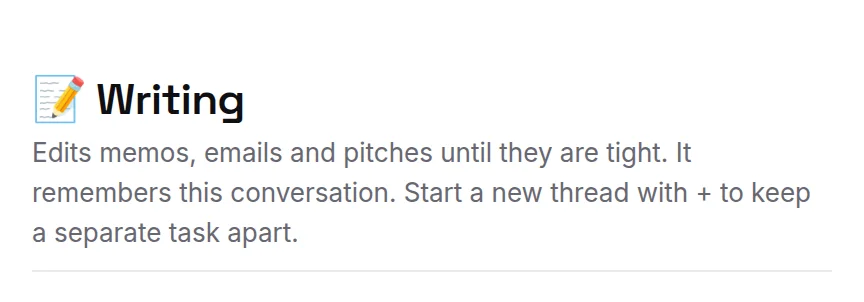
- On Home, Your agents shows what each one is doing right now. See Your Home dashboard.
When two agents seem to do the same thing
Two agents can overlap. Say a planning agent and a reminder agent you added both send you a morning list. Pick the one you want to keep, then:
- Ask each one: "Which reminders have you set for me?" Each names the reminders you asked it for, and when they go out.
- Tell the other one, in its own chat: "Stop sending me the morning list. The reminder agent does that now."
- If the one you keep doesn't do it yet, tell it what you want and when: "Every weekday at 8 AM, send me my meetings and open invitations."
That is also how you move a recurring job from one agent to another: stop it at one, then ask the other to start it. More on jobs that repeat: Scheduled posts and jobs.
Change what an agent does
Tell it in its own chat, the way you would tell a colleague: "From now on, leave meeting reminders to the reminder agent and focus on my weekly plan." It keeps that lesson and works that way from then on. If it slips back, press ✎ Correct under its reply. See How your agents grow.
To bring another agent into one message, write @ and its name: "@research check their pricing". Research gets that part, and its answer comes back into the same chat.
Add or remove an agent
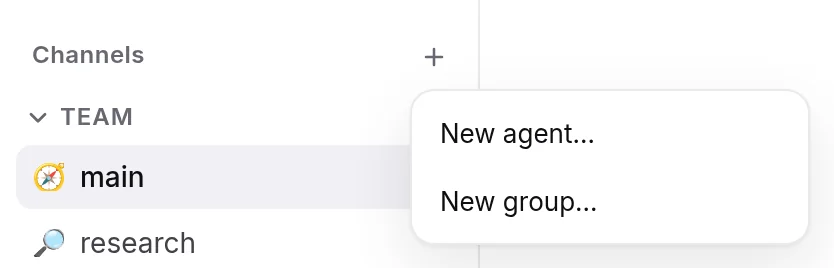
- Press + next to Channels and choose New agent…. Say in a sentence what it does, and give it a name if you like.
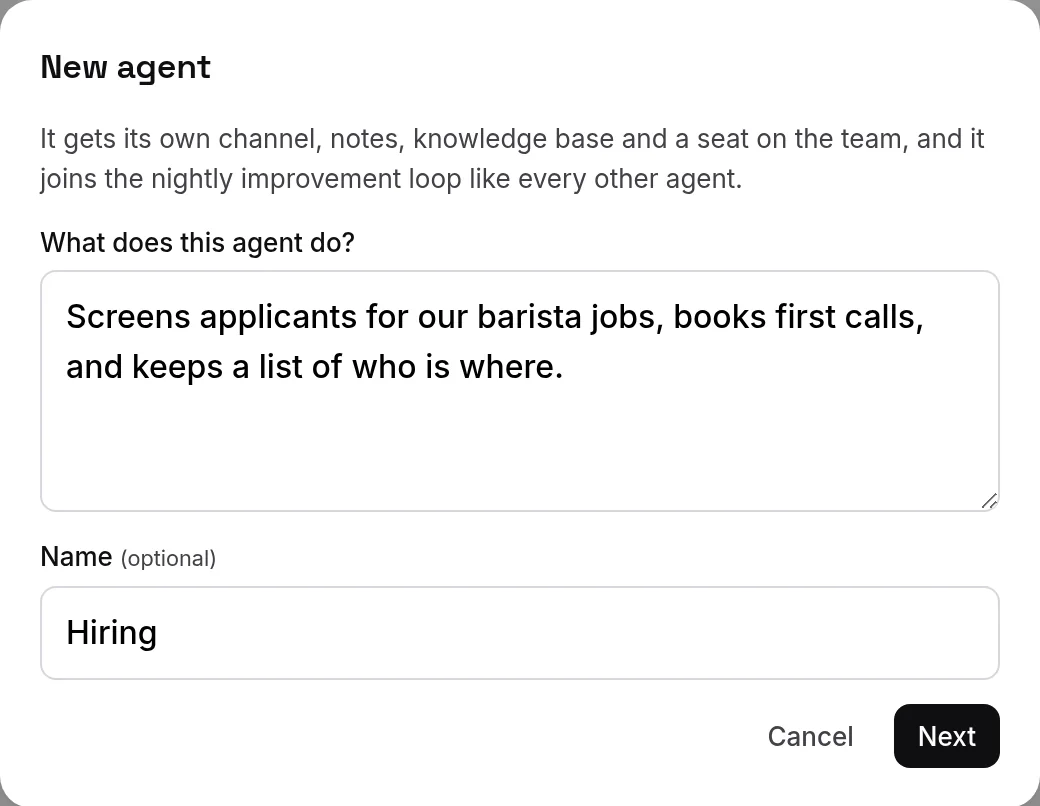
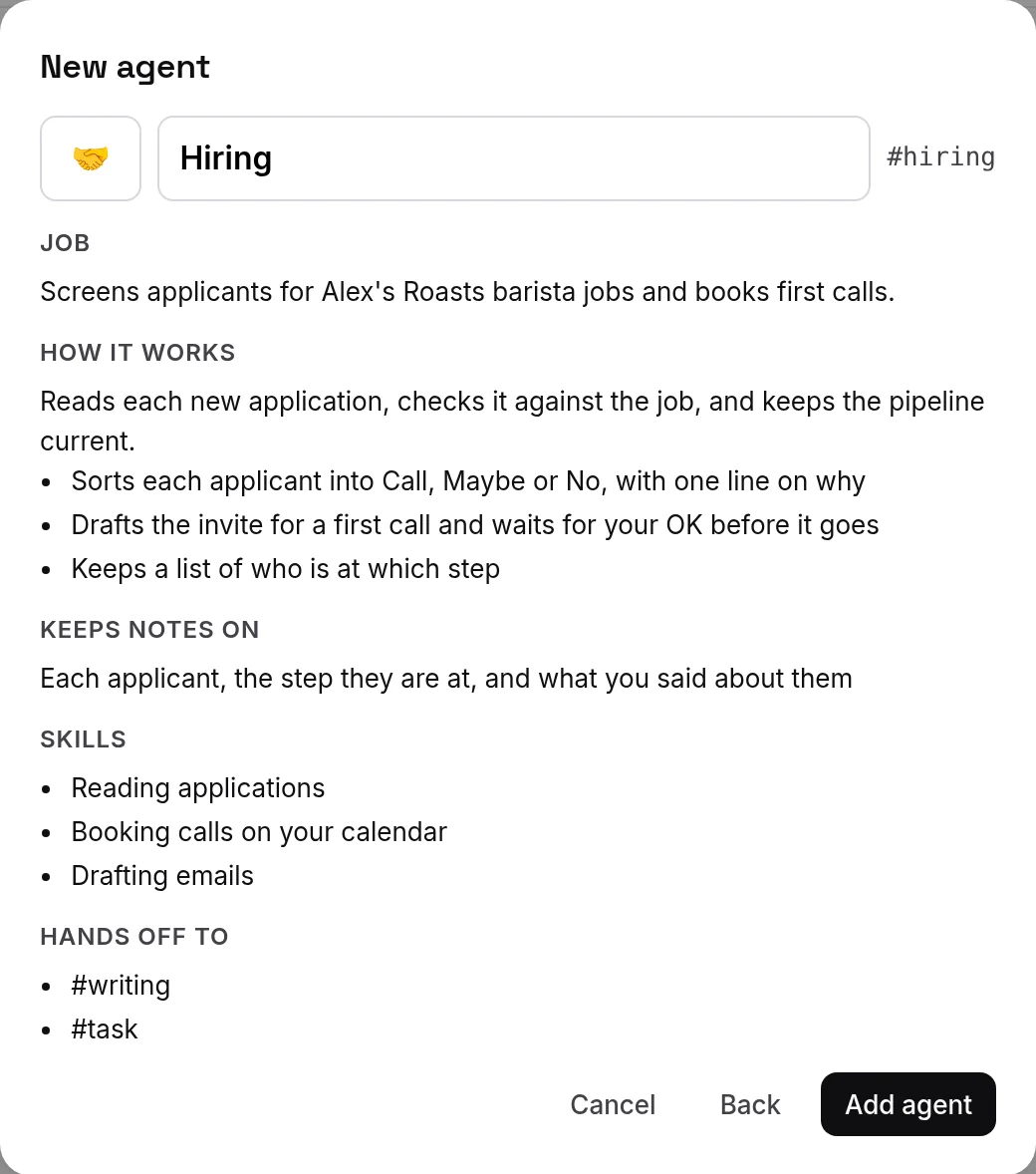
- Press Next to see its draft: Job, How it works, Keeps notes on, Skills and Hands off to. Change the name or emoji if you like, then press Add agent. It gets its own channel, notes and knowledge base.
- If + opens New group straight away, adding agents is not on for your account.
- To remove an agent you added, open its options (⋯) in the channel list and choose Remove agent…. Its channel goes away. Its notes and files are kept in a backup on your server. Agents your team started with have no Remove agent….
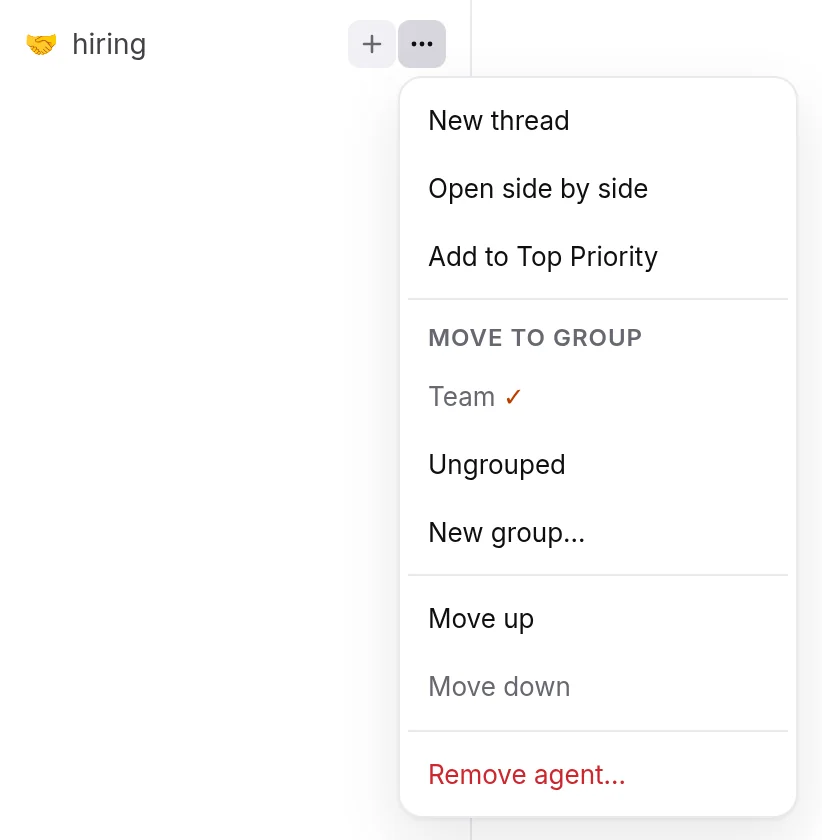
- On the phone, the same + offers New agent…. Press and hold an agent you added for Remove agent….
Tips
- One job per agent works best. Before you add one, ask Main whether someone on your team already does that job.
- Not sure which agent to ask? Ask Main, or hand the whole thing to Task.
Didn’t answer your question? Email support@ipsion.ai and say what you were trying to do.