Your Home dashboard
Home is the first thing you see in the console. It draws your day as a picture: what is waiting on you, what each agent is doing, and how much got done. The line under the greeting sums it up, for example "2 calls are due today. 1 agent is fixing something."
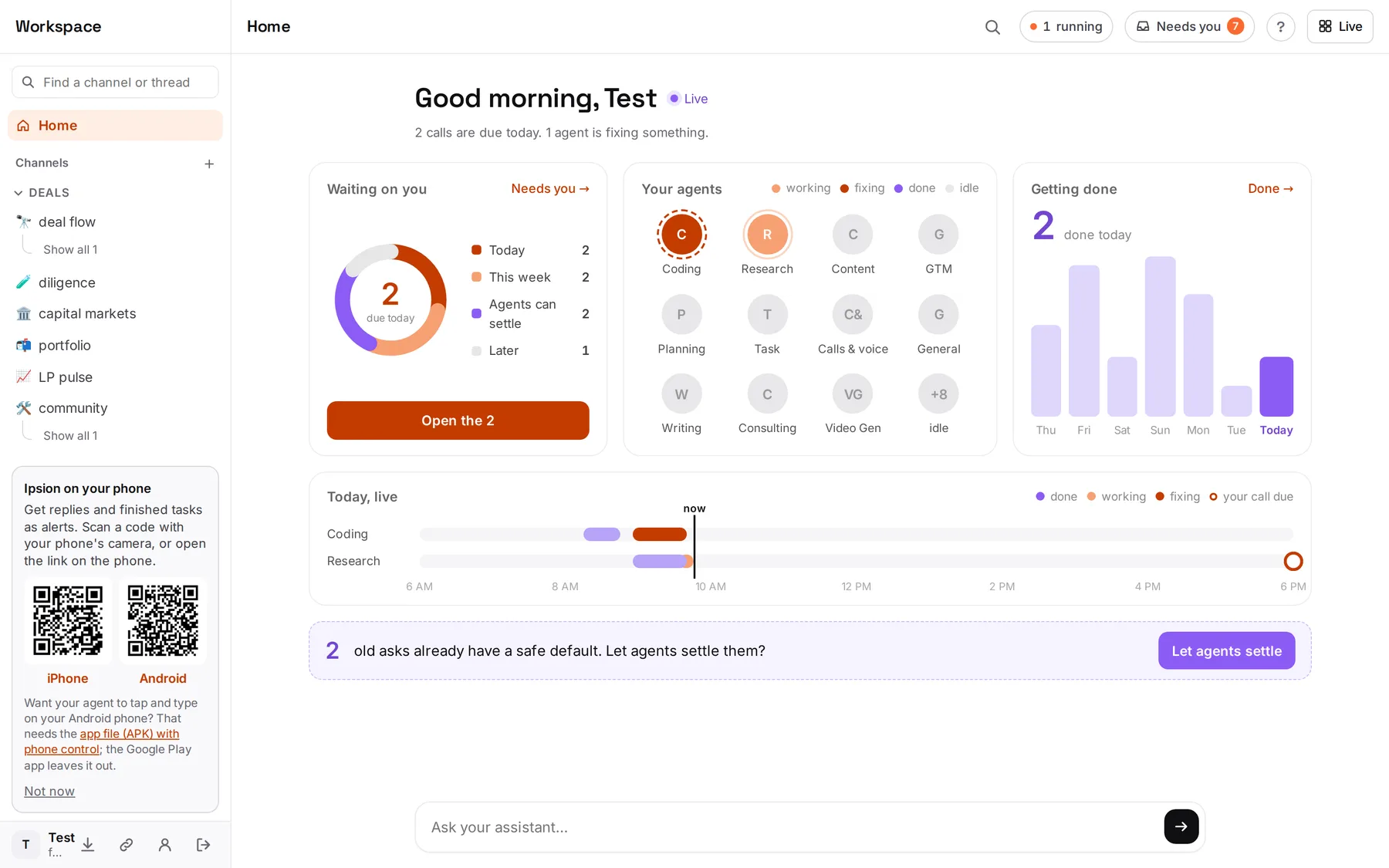
The one thing to do: press Open the 2 (or whatever the number is) in Waiting on you. That opens only what is due today. Answer those and you are done for the day.
Waiting on you
Everything your agents are waiting on, from Needs you, sorted by when it is due.
- The number in the ring is how many are due today.
- Today: a question due by the end of today, or a login or screen your agent is waiting on right now.
- This week: due in the next 7 days, or asked in the last week with no date.
- Agents can settle: an old question that is past its date and already has a safe default. Your agents can take that default for you (see below).
- Later: due more than a week out, or asked over a week ago with no date.
Open the N shows only today's items. Needs you → shows all of them. When nothing is due, the button reads Open Needs you.
Your agents
One circle per agent, busiest first.
- Working: light orange with a soft ring. It has a job running.
- Fixing: dark orange with a dashed ring. A job failed or ran out of time, and it is fixing it.
- Done: purple with a ✓. Its last job today finished.
- Idle: grey. No job today.
Click or tap a circle to open that agent's chat. With more than 12 agents, the quiet ones fold into one +N idle circle.
Getting done
The big number is how many tasks finished today. The bars are the last 7 days, with today on the right. A bar's height compares that day with the week's best day. When today is the best day so far, it says today · best day this week. Click the panel, or Done →, to see the finished tasks.
Today, live
On a computer, one lane per busy agent shows today from 6 AM to 6 PM. The black line is now.
- Each block is one job: purple when done, light orange while working, dark orange while fixing. A job still running stretches up to now.
- A hollow orange circle marks a decision of yours that is due at that time today.
- Click a block to open the chat where that job runs.
Settle old asks
When some old questions already have a safe default, a strip at the bottom says, for example, "2 old asks already have a safe default. Let agents settle them?" Let agents settle sends your assistant one message: apply each default and post one line per item, so you can undo any of them. Nothing is closed until your assistant replies.
Colours
Orange means it needs you or is being fixed. Purple means done. Grey means idle or later. Done items also carry a ✓, so you can tell done from fixing without relying on colour.
On the phone
The phone app shows Waiting on you, Your agents, Getting done and the settle strip. Today, live is on the computer only. Home refreshes about every 30 seconds while it is open.
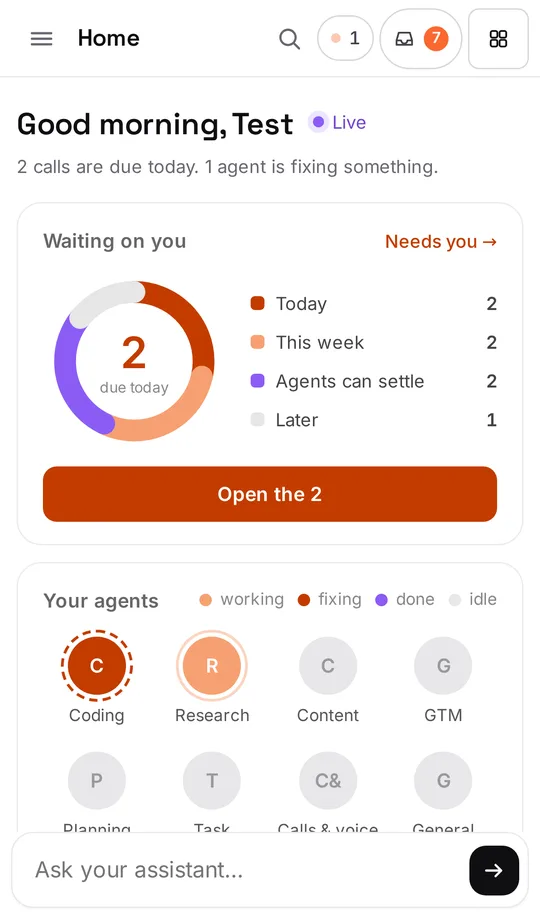
No bars and no lanes? Your server doesn't send the 7-day history yet. Everything else on Home works, and the bars fill in once it does.
Next steps
Didn’t answer your question? Email support@ipsion.ai and say what you were trying to do.