Help · Using Ipsion
How your agents grow: from Intern to Autonomous
An Ipsion agent is not a tool that stays the same. It is closer to a new teammate: it starts as an Intern, learns how you work, and grows. Every result you approve and every correction you give teaches it something it keeps. As it learns, it earns the next level and can do more for you on its own. You decide every step up.
The four levels
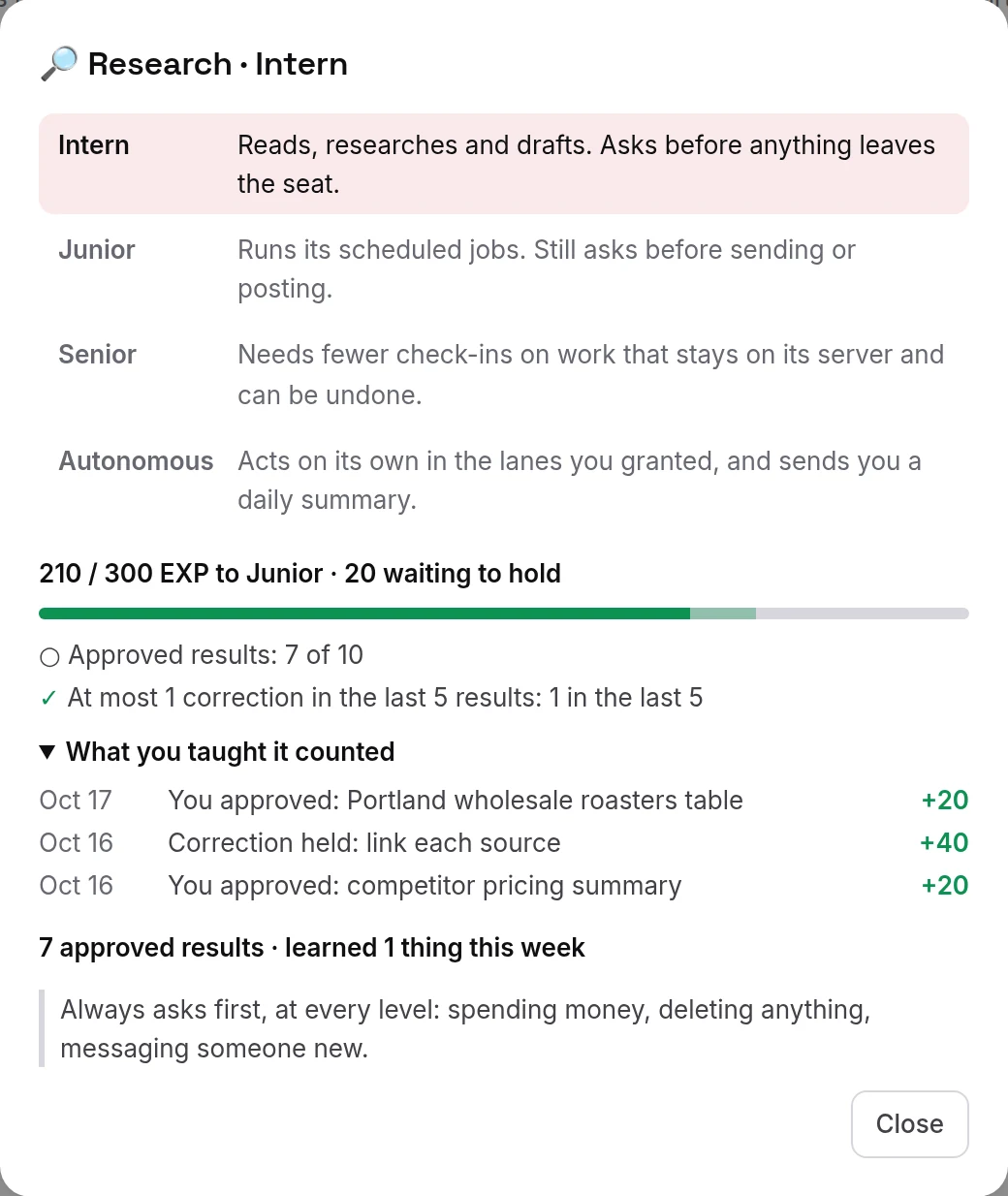
- Intern, from day 1: reads, researches and drafts. Asks before anything leaves its server.
- Junior: runs its scheduled jobs on its own. Still asks before sending or posting. It earns this after 10 approved results, with at most one correction in its last five.
- Senior: needs fewer check-ins on work that stays on its server and can be undone. It earns this after 25 approved results and 14 days without repeating a mistake you corrected.
- Autonomous: acts on its own in the lanes you name (for example "Weekly research digest") and sends you a short summary once a day. Only you can grant it, from Senior.
At every level, it still asks you first before spending money, deleting anything, or messaging someone new.
How you teach it
- Under each agent reply there are two buttons. 👍 means a good result: it counts toward the next level.
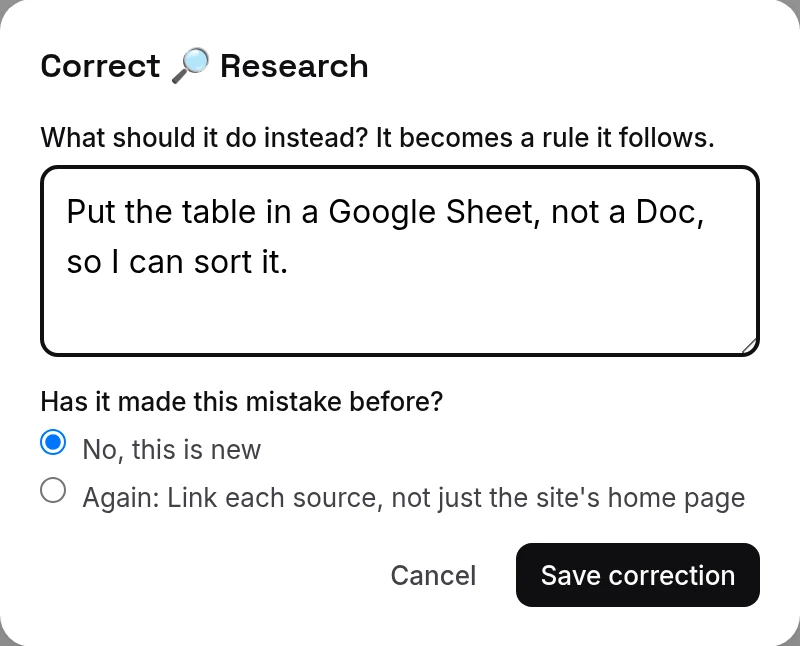
- ✎ Correct opens a box: write what it should do instead. That becomes a rule it follows from then on. If it made the same mistake before, pick it from the list, so it learns that it repeated it.
- Next to the room's name, a level chip shows the agent's level and a bar of EXP toward the next one. Press it to see the ladder, what the next level still needs, and the things you taught it that counted.
- Corrections from its own nightly review also count, once they hold.

The phone app shows the same level chip and buttons.

Moving up
When an agent has earned the next level, a level-up card waits for you in Needs you. It says in plain words what the agent will do on its own and what it still asks you about. Press Promote to the new level, or Not yet: it offers again after 50 more EXP. Nothing moves up by itself.
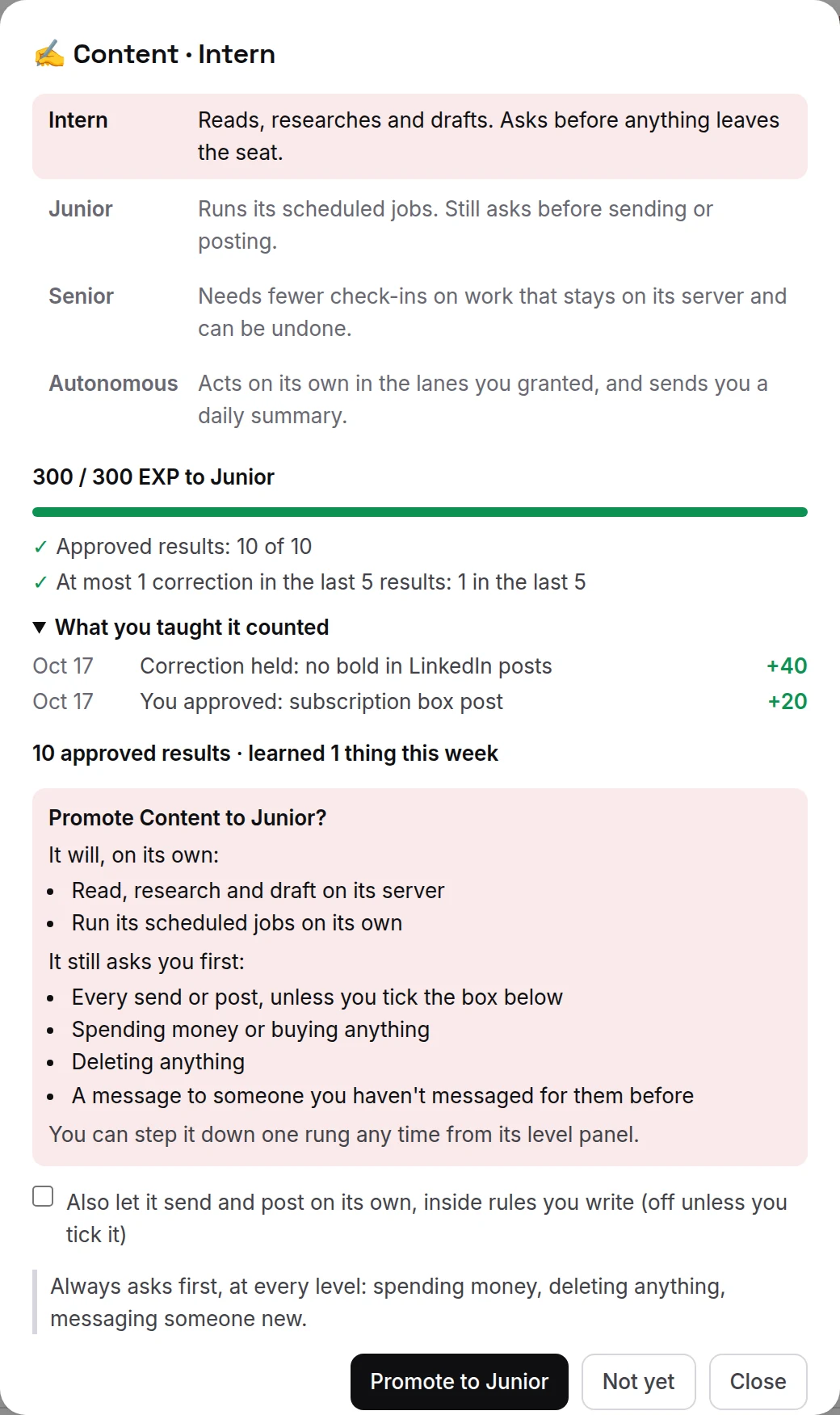
Sending and posting on its own belongs to no level. It is a separate box on the level-up card, off unless you tick it, and it works only inside rules you write, such as "Reply to inbound leads; never quote prices". You can switch it off any time from the agent's level panel.
Moving down
If an agent repeats a mistake you already corrected, it moves down one level at once and tells you why. Moving down to Intern also pauses its scheduled jobs until it is promoted again. You can also step it down one level yourself, any time, from its level panel.
Help it grow faster
- Give it real work, a little every day. Small jobs count as much as big ones.
- Rate what comes back: 👍 the good results, and fix the wrong ones in one sentence with ✎ Correct instead of redoing the work yourself.
- Hand it one job that repeats, such as a morning brief or a weekly plan. Once it is a Junior, it runs that on its own.
Not sure where to start? See What to hand your agent.
Didn’t answer your question? Email support@ipsion.ai and say what you were trying to do.