Help · Fixing problems
Troubleshooting
The reset or confirm email never came
Look for an email from Ipsion AI. If it isn't there within a few minutes, check your Spam folder. A reset link lasts an hour; a sign-up confirm link lasts 24 hours.
"This link has already been used" or "has expired"
Sign-in links work once, for 24 hours. Press the button on that page to ask for a new one, then set your own password so you don't need links again. See Sign in.
"Couldn't reach your agents" or "Couldn't load your agents"
The console says "Couldn't reach your agents" and retries by itself. Press Try again, or check your connection. The phone app says "Couldn't load your agents": pull down to retry.

My message didn't send
- "Your message didn't reach the agent. It's back in the box below": send it again.
- "Not delivered. Send it again."
- Queued or Up next under your message: it went through and runs after the current task. Nothing to do. See Writing while your agent works.
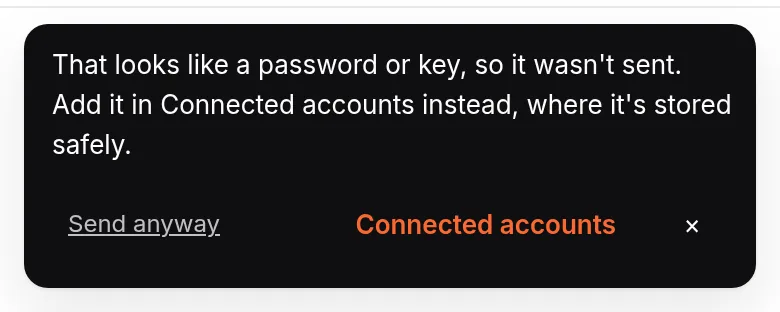
- "That looks like a password or key, so it wasn't sent": keep secrets out of chat; save them in Connected accounts.
I pasted a lot of text
A message over 10,000 characters arrives as a file named pasted-text.md. Your agent reads it like any attachment, so you don't need to send it again.
My file is too big
You can attach up to 5 files per message. Large files, videos included, upload in pieces, up to 500 MB each; pictures go up to 14 MB in all per message. The console tells you when a file is over the limit: send a smaller file, or split it.
My agent can't open a link
Private Google Drive or Docs links need access your agents don't have. Download the file and attach it. See Give your agents access.
It's taking a long time
See Usage limits, and "is it still running?".
My agent didn't call me
Call me places a call only after you have saved your number and said yes on the check call, at most 3 times a day, and never from 10 PM to 7 AM your time. The question is always in the console as well. See Call me.
My own computer doesn't show under Live
Open the Ipsion app on that computer and check Share this screen is on. See Can my agents use my own computer?.
Mac app
- The app's logs are in
~/Library/Logs/Ipsion AI/. Attach them when you email us.
Didn’t answer your question? Email support@ipsion.ai and say what you were trying to do.