Your free trial, plans and invites
This page is for accounts that signed up with an invite code. If your Account menu has no Free beta or Free trial line, your account was set up by hand: email support@ipsion.ai to ask about its terms.
Do I have to pay?
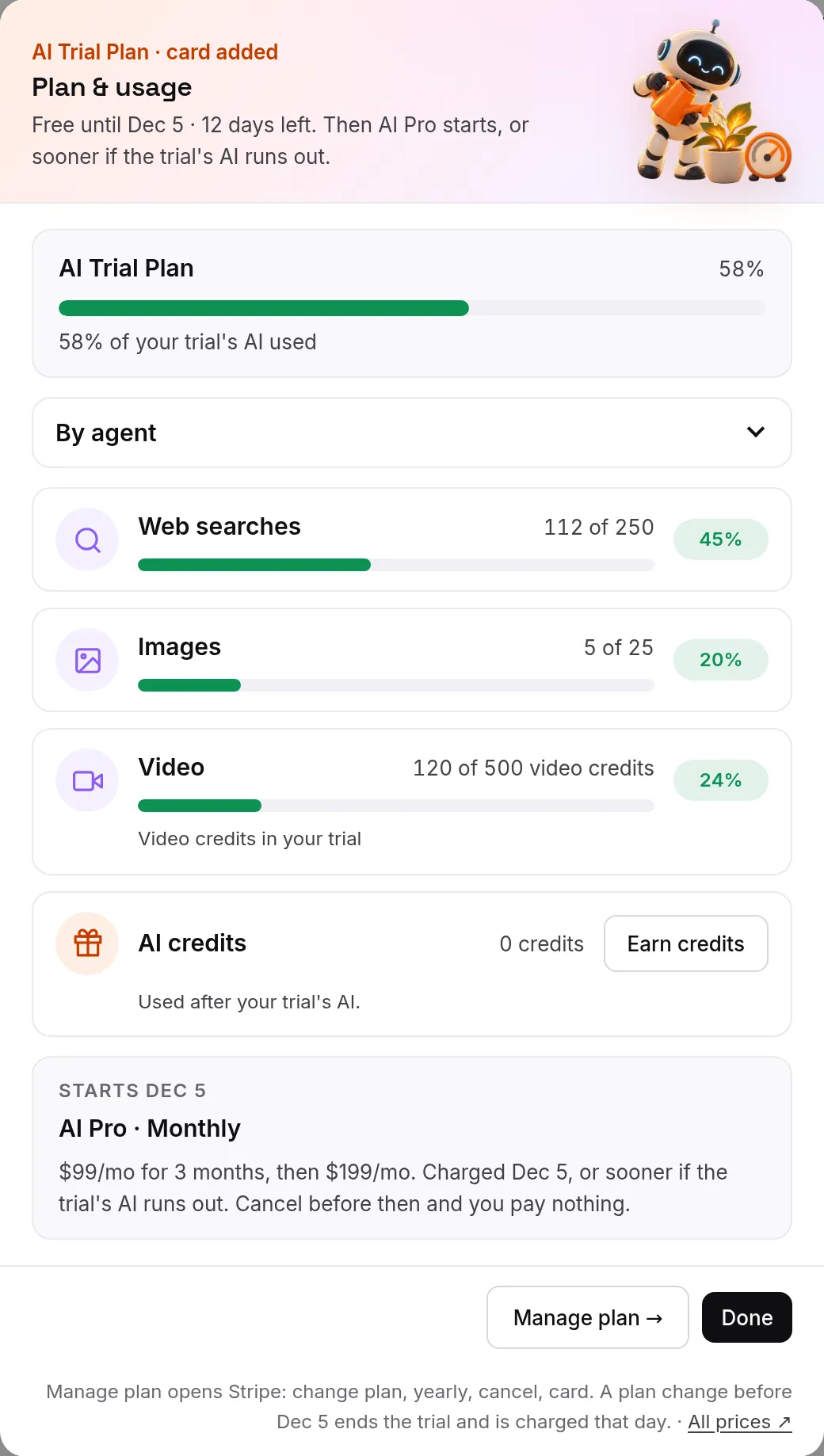
Not during your 14-day free trial: you pay $0 today. When the trial ends, you pay only for a plan you pick. If you added a card and did not cancel, your plan starts then; without a card, nothing is charged and your agents stop.
How long is my free trial
14 days. It starts when you confirm your email and your own Ipsion server is set up for you, which is usually the day you use your invite code.
A two-week trial gets the same AI usage as AI 100, 500 web searches, 50 images, and 1,000 video credits ($10) for the whole trial; a one-month trial gets twice that (AI 200's AI usage, 1,000 searches, 100 images, 2,000 video credits). The video credits don't renew. During a trial these limits are shown, not enforced.
The end date is the same on the web console, the Mac and Windows apps and the phone app.
If you added a card at sign-up
Most new sign-ups add a card right after they confirm their email. It costs $0 today, and your server starts once the card is in. Some invitations don't ask for one.
Your plan is AI 100, and it starts when the 14 days end, unless you cancel first. If you picked Ipsion, on your own AI plan when you added your card, your 14 days start when you connect your Claude or ChatGPT plan instead, and nothing is charged before then.
The free trial covers your plan only. An add-on or a top-up is charged the day you buy it, during the trial too. If you change plan during the trial, you keep the trial.
The line in your Account menu says what will happen, for example Free trial until Nov 12 · then card charged $99. Press it for the full terms.
To cancel, press Manage billing there before the trial ends, and you pay nothing. The line then says cancelled, no charge.
If your plan card shows Change plan in your trial: the trial goes on, and the new plan is charged when it ends., the plans you can move to are listed under it. Each row names the plan, monthly or yearly, then "$0 today" and the day your trial ends with the amount charged then, for example "AI 200, monthly: $0 today. On Nov 24:" and the price. Press a row to open its confirm page.
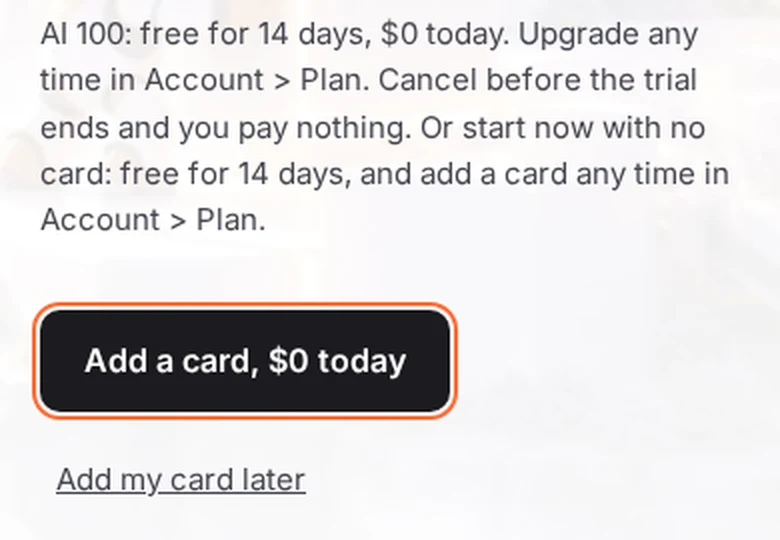
If you chose Add my card later
The card step at sign-up also offers Add my card later. Press it and your server is built right away with no card, on the same 14-day free trial. Nothing pops up asking for a card while it runs.
Where to add your card later
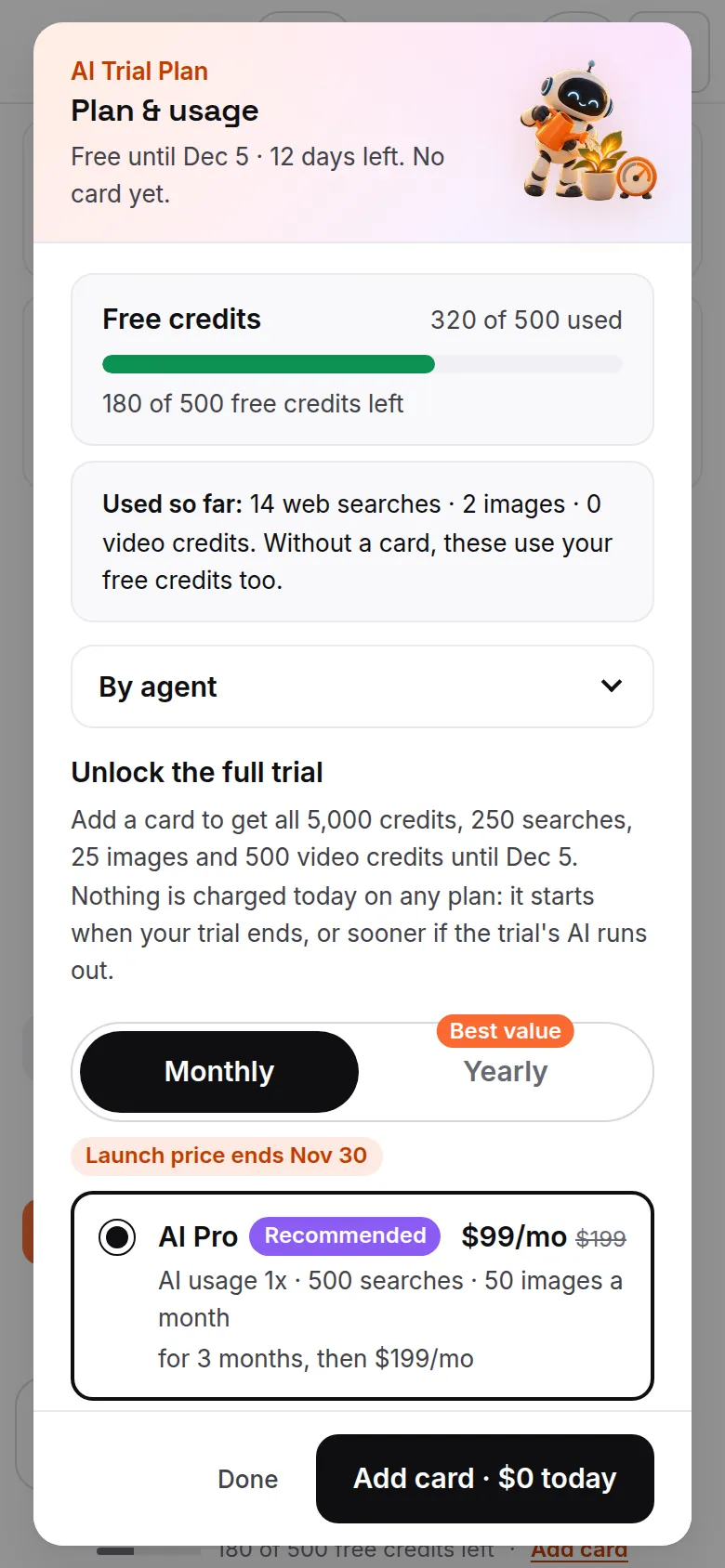
To add the card, open the Account menu and press the Free trial until Nov 24 line under your name, or Subscription. The card says Add a card any time and the day your trial ends. Press Add card, pick your plan, and enter the card: $0 today, and the first charge is on the day your trial ends. The phone app on an iPhone or iPad, and the Android app with phone control, have the same Add card in the account menu.
On the Android app from Google Play
The Android app from Google Play has no Add card, See plans or payment button. Its plan card says "Add your card from the Ipsion console in a web browser, or from the link in our email." Do it in your phone's browser (Chrome or Safari) instead:
- Open ipsion.ai/trial/console/?plan.
- Sign in if it asks. Your plan card opens by itself: Pick your plan.
- Press See plans (or Add card), then pick your plan on the page that opens.
- Enter your card on the payment page: $0 today, and the first charge is on the day your trial ends.
Add a card before your trial ends to keep your workspace running after it.
Where to see the day your trial ends
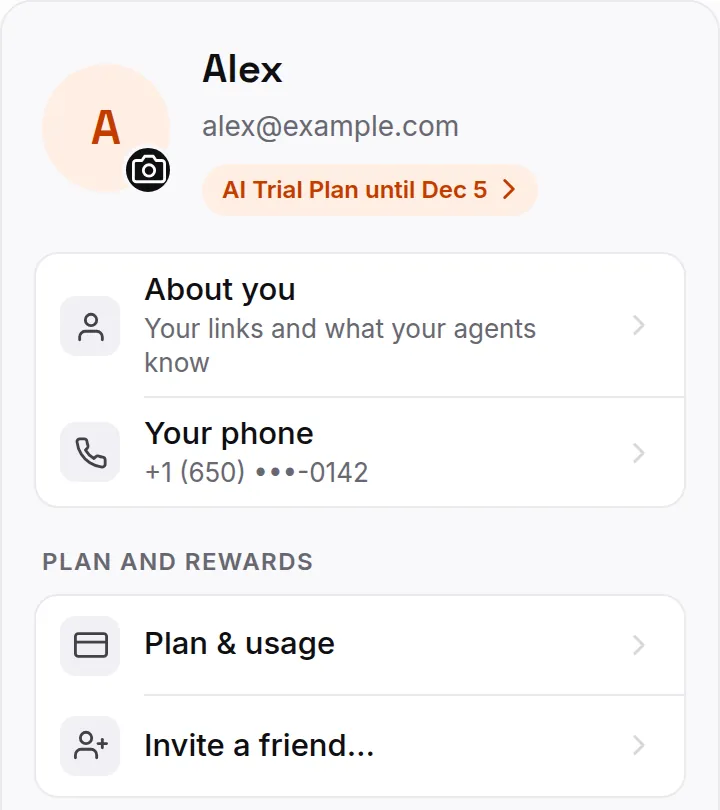
- Console (web and desktop app): press the person icon at the bottom of the channel list (Account). Under your name and email, a line reads Free beta until Nov 24: the day your free trial ends, in your own time zone. Press it to see your plan.
- Phone app: the same line leads the account menu.
- In the last 14 days, a bar under the conversation's header also shows that date, with an Upgrade button. Press × to hide it until the next day. On the phone it sits under Home's header.

The pricing reminder that pops up
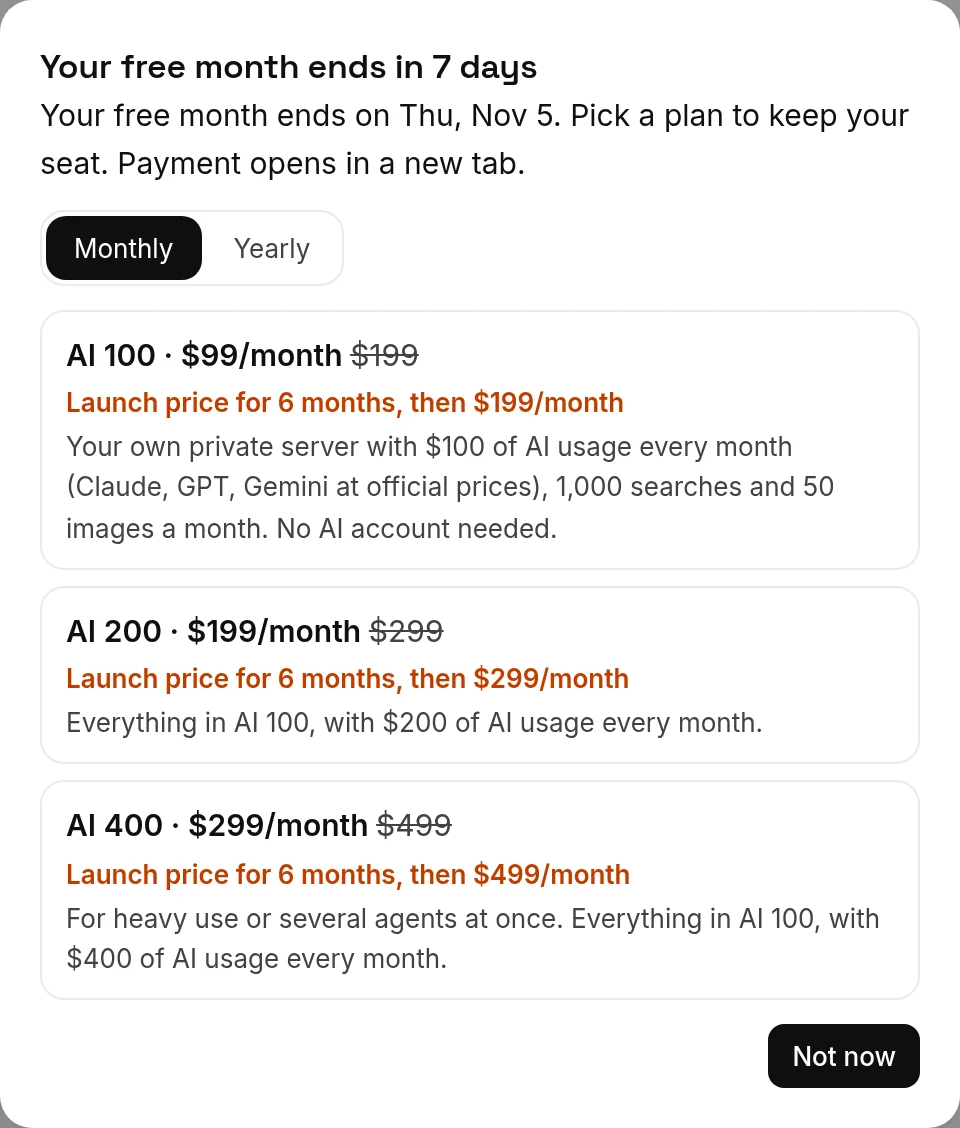
When 7 days are left, then 3, then 1, the console shows a reminder once: "Your free trial ends in 7 days" (or "ends tomorrow"), with the plans you can pick and Not now. It waits until nothing else is open, so it won't cover a question from your agent. The phone app shows the same reminder.
Where plans are open for your account, a trial also gets one card, shown once: a pill reads Trial ends (date), under the heading Keep your agents running, with the two ways to pay — your own AI plan, or AI included from $99/mo for the first 3 months — and See the plans, which opens Account > Subscription. Later (or Escape) closes it for good; it does not come back on that device. It waits until nothing else is open, like the reminder above. The phone app shows the same card once.
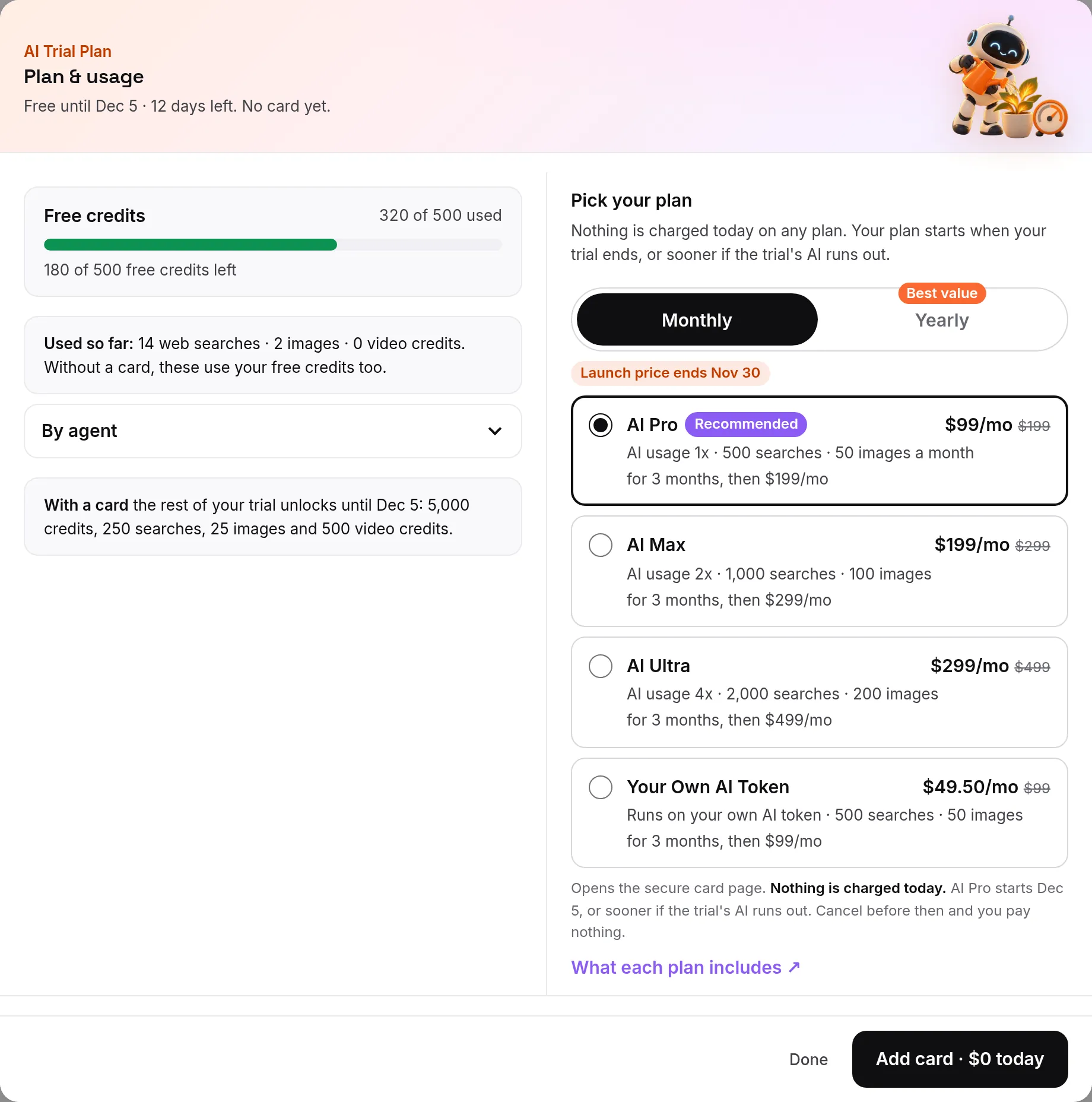
A running trial with no plan and no card yet also gets one See plans button on its plan card. It opens the sign-up's own plan page — Pick your plan, with the same plans and launch prices as sign-up — and your trial keeps running either way. The phone app has the same button, except the Android app from Google Play (see On the Android app from Google Play above).
The date is the last day of your trial, the same day the checkout page names in Free until November 24, 2026. If the console cannot read the end date, the line shows the days left instead, counted up to that day.
Plans and how to upgrade
One click: ipsion.ai/trial/console/?plan opens the console signed in and shows your plan, with the day it ends and the plans you can pick.
On the pricing page, a Choose button such as Choose AI 100 opens your plan card in the console at that plan, when this browser is signed in to your console. If it takes you to the Beta sign-up instead, use the line Already in the trial? on the pricing page: Pick your plan opens your console.
Press Free beta in the Account menu, or Subscription under Plan and usage in the same menu (on the phone, in the account menu too; the Android app from Google Play shows no plans there, see above), or Upgrade on the bar, and pick a plan. Each one is monthly, or yearly at 10 times the monthly price, so 2 months are free:
- Ipsion, on your own AI plan · $99/month, $49.50/month for your first 3 months as an alpha or beta tester. Your agents run on your own Claude Code or Codex plan (Claude Pro, Max, Ultra or Team, or ChatGPT Plus, Pro or Business), which you connect and pay its provider for. Your own private server, 500 searches and 50 images a month, 1 domain of your own, and 1 social account per platform. See Do I need to connect Claude?
- AI 100 · $199/month, $99/month for your first 3 months as an alpha or beta tester. Your own private server with AI usage included every month (Claude, GPT, Gemini; sized at $100, not yet counted against your plan), 500 searches and 50 images a month, 1 domain of your own, and 1 social account per platform. No AI account needed.
- AI 200 · $299/month, $199/month for your first 3 months as an alpha or beta tester. Everything in AI 100, with AI usage sized at $200 every month, 1,000 searches and 100 images a month, 3 domains of your own, and 3 social accounts each on X and LinkedIn.
- AI 400 · $499/month, $299/month for your first 3 months as an alpha or beta tester. For heavy use or several agents at once: everything in AI 100, with AI usage sized at $400 every month, 2,000 searches and 200 images a month, 10 domains of your own, and 5 social accounts each on X and LinkedIn.
Yearly, as an alpha or beta tester, your first year is 3 months at the launch price and 7 at the regular price: $841.50 (own AI plan), $1,690 (AI 100), $2,690 (AI 200) or $4,390 (AI 400). After that, $990, $1,990, $2,990 or $4,990 a year.
Add to any plan: a cloud phone with its own number ($100/month) and a cloud computer ($100/month), each running in the cloud 24/7 just for your agents and set up for you within 1 business day; a search and image pack ($25, $50 or $100/month); a video add-on ($50, $100 or $200 a month · 5,000, 10,000 or 20,000 video credits, 100 video credits = $1); and AI usage top-ups of $50, $100 or $200, one time, each adding credits: 5,000 for $50, 10,000 for $100, 20,000 for $200 (100 credits = $1). An add-on is charged the day you buy it, then each month from that day until you cancel it.
Each clip's price depends on its length and resolution; your agent tells you the price before it makes one. Video add-on: your credits start again each month on your billing date; unused ones don't carry over. Your billing date is the day your first paid month starts.
Where Connected accounts shows Your own domain, your free trial can use 1 domain of your own, like AI 100, and a paid plan can add more for $5/month each.
Social accounts are per platform: X and LinkedIn each. Your free trial can sign in 1 on each, like AI 100: see Give your agents access. A paid plan can add more for $5/month each, and one extra works on either platform.
If a plan has a discount for you, its button says so, for example Alpha & beta tester price for 3 months, then $199/month.
Payment opens in a new tab (in your browser, on the phone). When you come back, the console checks again, and a few minutes later the line reads Plan: AI 200 (or the plan you picked). A paid account gets no more reminders and no bar.
On Ipsion, on your own AI plan, your plan card may show Connect your AI plan under Your plan. After you pay, press it and sign in to your AI plan there. Once it is connected, the card says "Your AI plan is connected, and your agents run on it."
Refunds
Our Terms, section 11.10: "Monthly plans, yearly plans and add-ons are not refundable, in whole or in part, including for any unused part of a billing period, except where applicable law requires a refund. You can cancel at any time, and you keep access until the end of the period you have paid for: the month on a monthly plan, the year on a yearly plan." The pricing page says the same in short, and your plan card may show it as one line above Manage billing.
What happens when the trial ends
If your trial has no card and no plan, we email you 7, 3 and 1 days before it ends, in the morning in your time zone, and once more on the day it stops. Each email has a Pick a plan button. You never get two in one day. Your trial does not stop before the 3-day and the 1-day emails have gone out: if one could not be sent in time, the end moves a few days later so you still get both. With a card, we email you a reminder 7 days before the first charge instead.
The line reads Free beta: ended, and pressing it shows the day it ended and the plans. If you added a card and did not cancel, your plan starts instead. Without a card, your agents stop and your server is switched off that day. Nothing is deleted yet: your data is kept for 7 days (14 days if your trial started before November 3, 2026). Pick a plan in Account > Subscription in that time and everything comes back as it was. Opening the console in that time starts your server for the visit: it says "Your agent is waking up, about N seconds" while the plans show on top, then it loads, with Subscription and Download my data in the Account menu.After that, your data is deleted. You can download your files any time from Account > Download my data.
Invite a builder
One click: ipsion.ai/trial/console/?invite opens the console signed in at Invite a builder….
You can invite up to 3 people you know: builders, solo founders, one-person companies.
- Press Account, then Invite a builder… (on the phone, the same item in the account menu).
- You get your own invite links. Press Copy next to one and send it to your friend.
- Each link works once, and each friend gets their own Ipsion server. Under each link you see Not used yet, Used or Expired, and the count, for example "1 of 3 used".
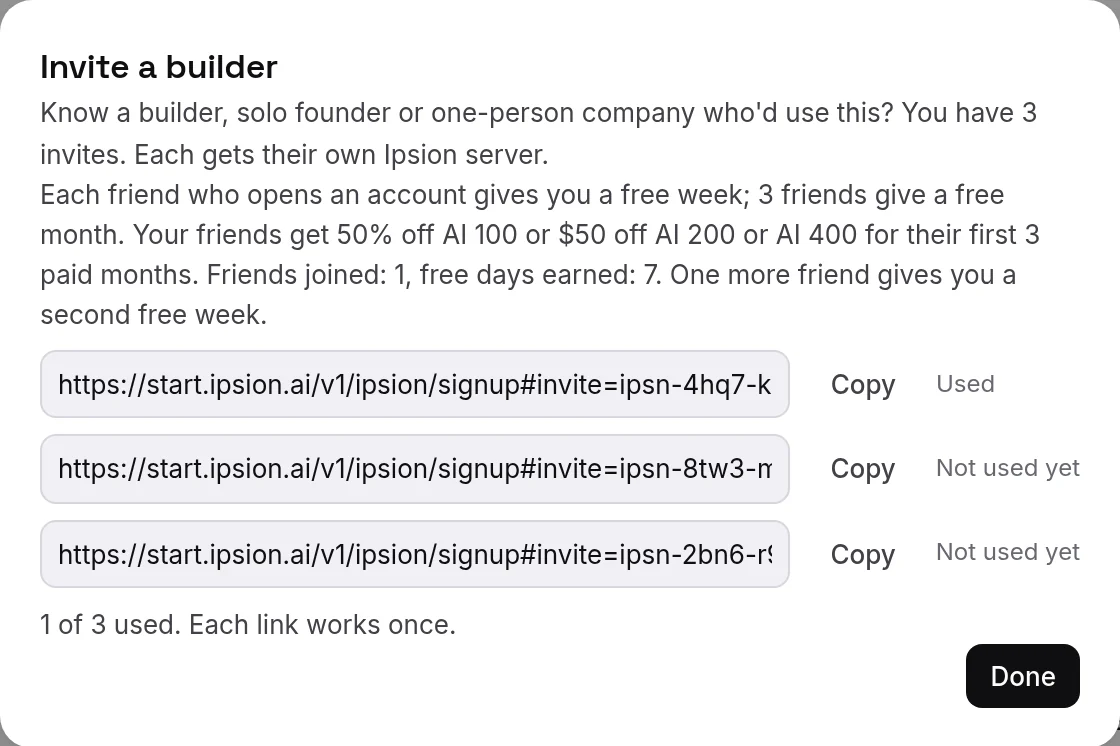
Each friend who opens an account gives you a free week; 3 friends give a free month. Your friends get $50 off AI 200 or AI 400 for their first 3 paid months. The panel shows how many friends joined and the free days you earned.
Your links last 14 days from the first time you open Invite a builder…. Invite codes we already emailed you count toward your 3. Your friend still needs a free spot: when every seat is taken, the sign-up page says so.
Questions
Ask about your plan, your end date or an invite at support@ipsion.ai. See Contact us for what to include.
Didn’t answer your question? Email support@ipsion.ai and say what you were trying to do.