Bring in another agent, or invite a person
Each agent on your team has its own chat. You can still get two of them working on one task: bring the second one in with @.
Bring an agent into a message
- In the chat or thread you are in, type @. A list called Bring in an agent opens with the other agents of this project.
- Pick one, or keep typing its name: "@research check their pricing".
- Send. You can name up to 4 agents in one message.

The agent you are talking to hands that part to the agent you named and tells you in one line who it asked. The answer comes back into the same chat, and your agent passes it on to you. You don't need to switch chats.

Your agent can also bring in another agent by itself when part of the task is that agent's job.
What the other agent sees
It does not see your chat. It gets only the note your agent writes for it: the goal, the facts, and the files and links it needs. So say in your message what matters: "@task fix the dates in the March sheet I sent you, keep the totals".
The other agent answers through your agent. It cannot post in your chat itself.
When the other agent has to work on a file
A file you send is saved with the agent you sent it to. If another agent has to change it, send the file to that agent too: open its own chat in the sidebar, attach the file and say what to change. You can also do a longer piece of work there, in that agent's own chat.
Invite a person
A chat or thread is between you and your agents. You can't add another person to it.
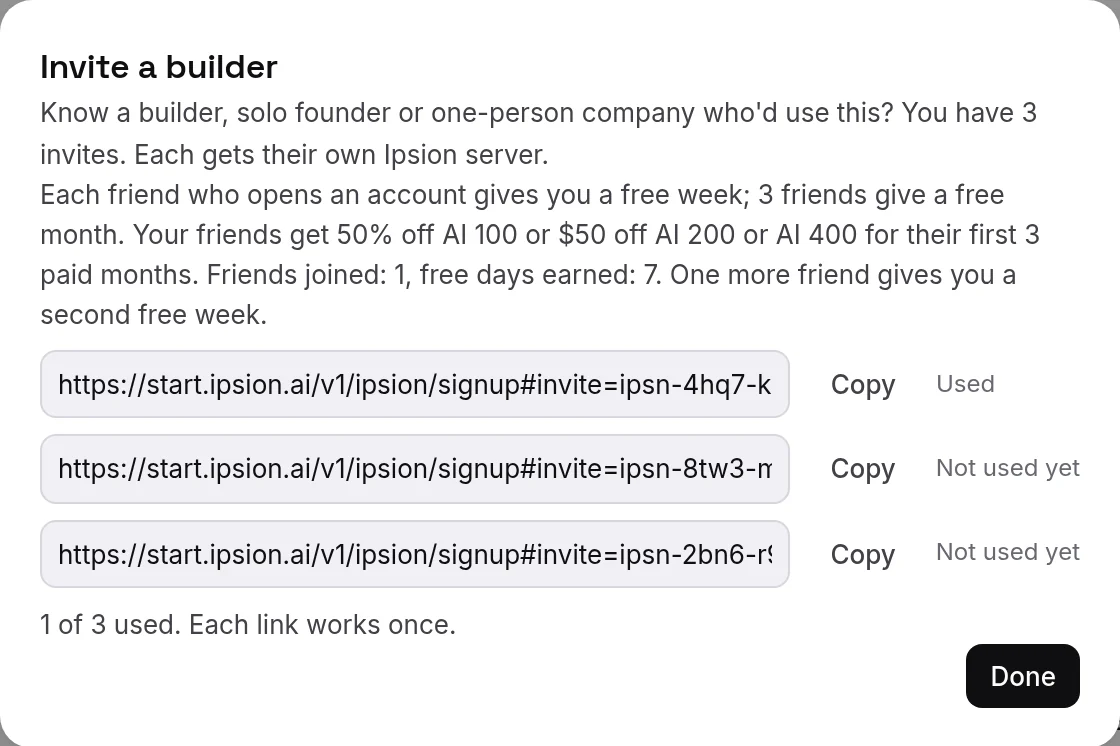
To invite a friend, send them an invite link. They get their own Ipsion with their own agents. Press Account, then Invite a builder…. You can invite up to 3 people. See Your free month, plans and invites for how the links work.
Didn’t answer your question? Email support@ipsion.ai and say what you were trying to do.