Bring your memory
Your other AI tools already know a lot about you: your work, your projects, the people you mention and how you like answers. Bring your memory brings that into Ipsion, so your agents know you from day one. Ipsion then learns faster and does more for you, without you explaining yourself again. It is optional and takes a few minutes.
Where to find it
- Account menu (person icon at the bottom of the list) → Bring your memory…. The phone app has it in its Account menu too.
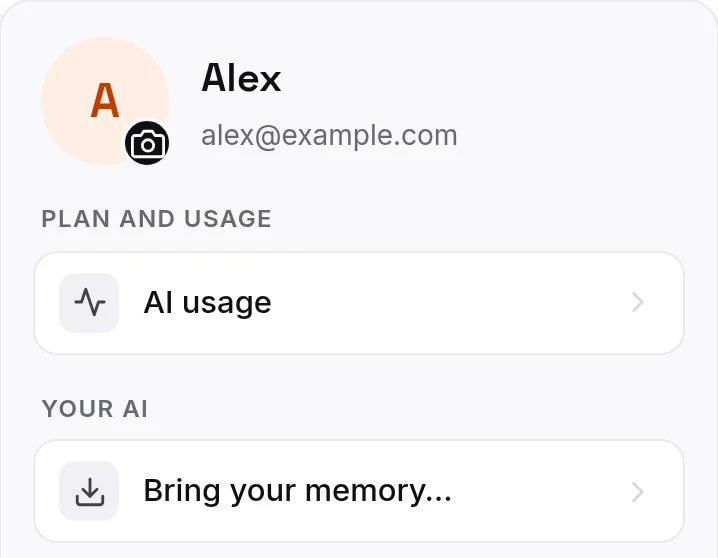
- When you set up Ipsion, it is offered once. Press Skip if you don't want it now; it stays in the Account menu.

- The tour (Help → Show me around) shows it as well.
How it works
- Pick where your history is: ChatGPT, Claude.ai, Claude Code, Codex, "Cursor, Gemini, other", or My notes.
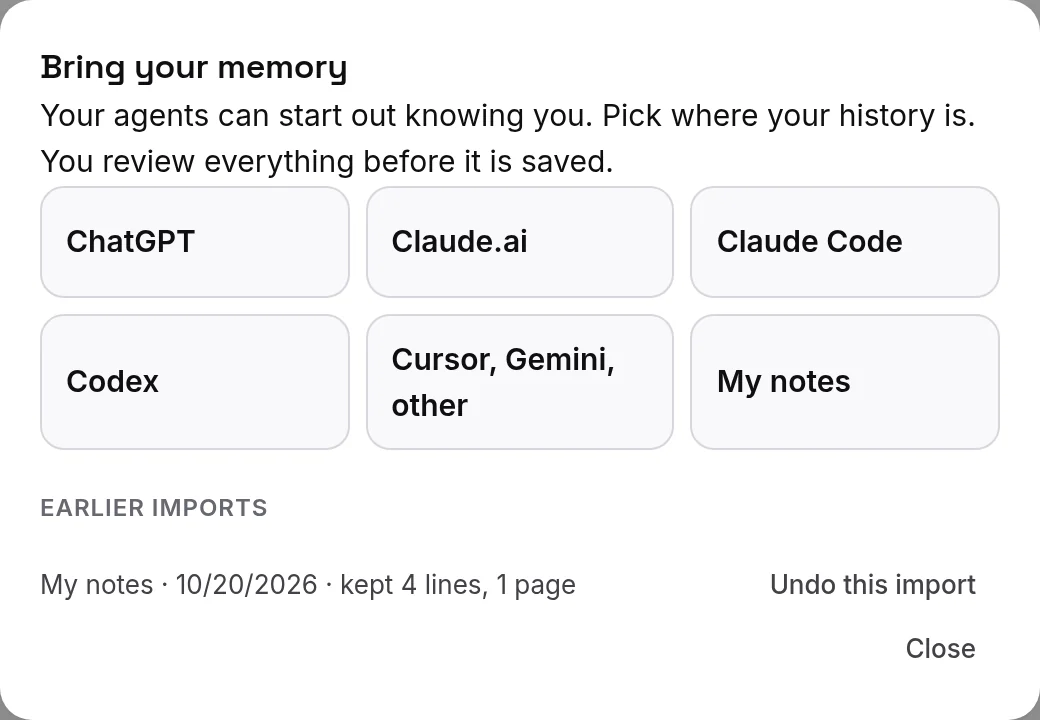
- Follow the steps for that tool (below), then paste the answer or upload the file.
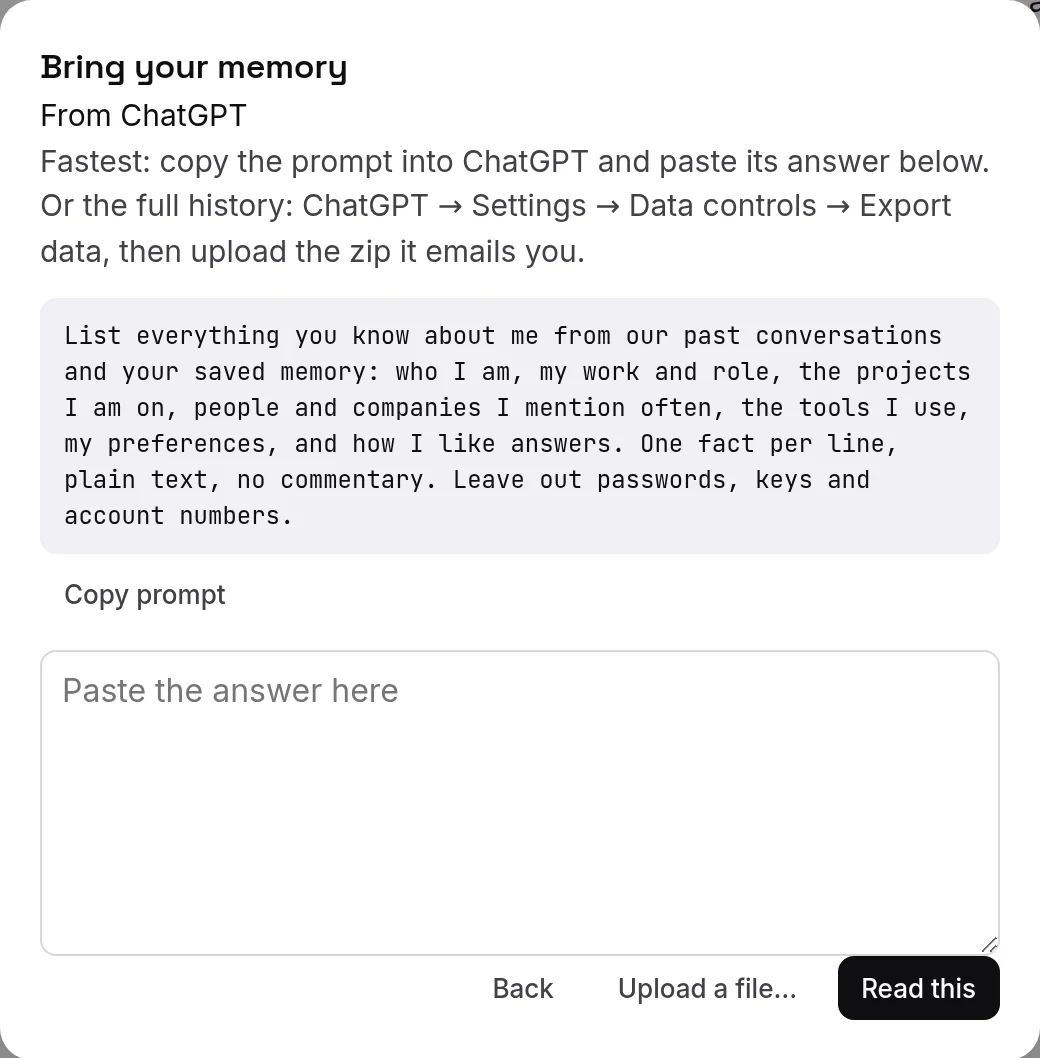
- Your Ipsion AI reads it on your own Ipsion server. Keys and passwords are taken out first. A big export takes a few minutes; you can close the box and come back from the Account menu, where it waits under Earlier imports with a Review button.
- Review what it found. Each line shows the document it came from. Edit or Remove anything. Lines that may be sensitive start switched off; press Keep on one only if you want it saved.
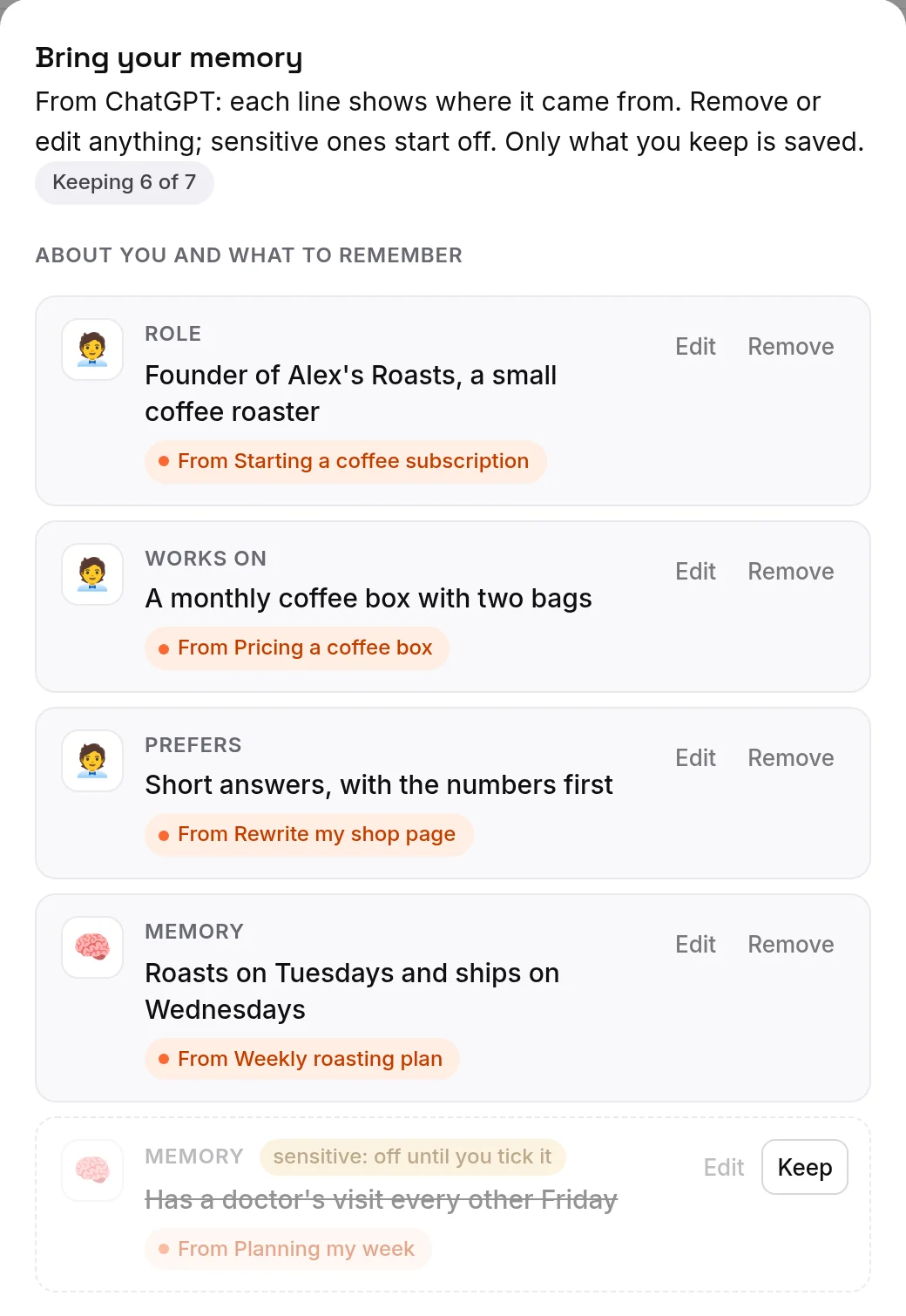
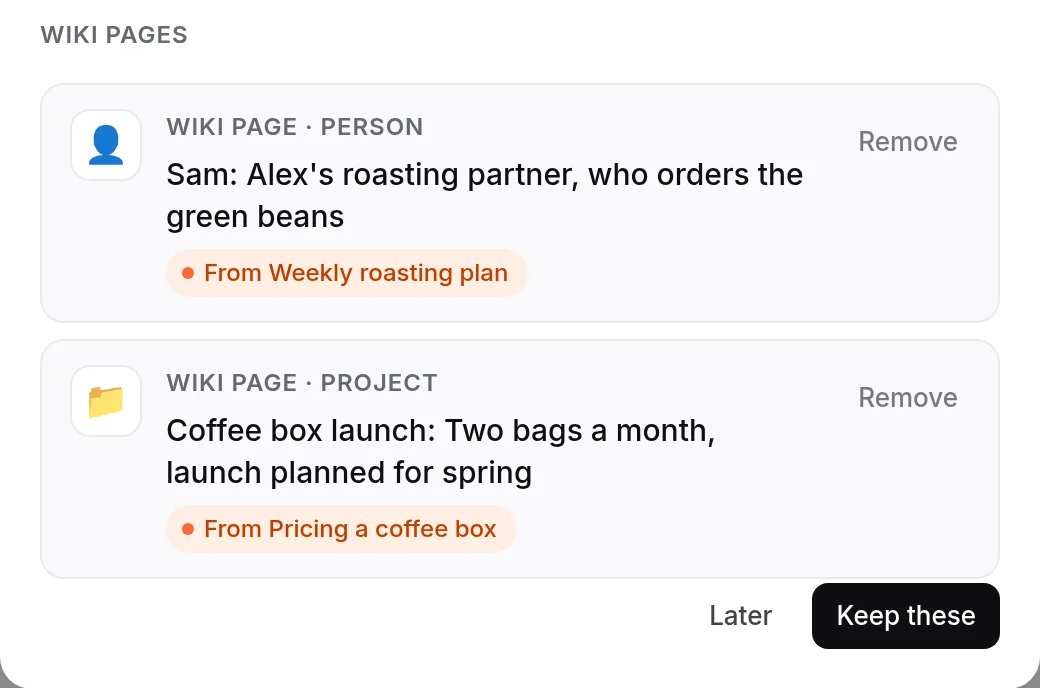
- Press Keep these. Only what you keep is saved, and your agents use it from their next reply.
Getting it out of each tool
- ChatGPT: the fastest way is Copy prompt, paste it into a new ChatGPT chat, then copy its answer back into Ipsion and press Read this. For your full history: ChatGPT → Settings → Data controls → Export data, then upload the zip file ChatGPT emails you.
- Claude.ai: the same prompt works. For your full history: Claude → Settings → Privacy → Export data, then upload the zip file it emails you.
- Claude Code: press Copy command and run it in a terminal on your Mac or Linux computer. It puts your CLAUDE.md files and Claude Code memory into one file,
claude-code-memory.txtin your home folder. Upload that file. - Codex: the same, for your AGENTS.md files. Upload
codex-memory.txtfrom your home folder. - Cursor, Gemini, other: paste the prompt into the tool and paste its answer back, or upload its rules files (
.cursor/rules,GEMINI.md). - My notes: upload a Markdown, text or JSON file, or a zip of a notes folder, like an Obsidian vault or a Notion export.
What gets saved
Facts about you (your role, company, what you work on, the tools you use, how you like to work) go into your profile and your agents' memory. People, companies, projects and topics can become wiki pages your agents look things up in. Nothing is saved until you press Keep these.
Undo
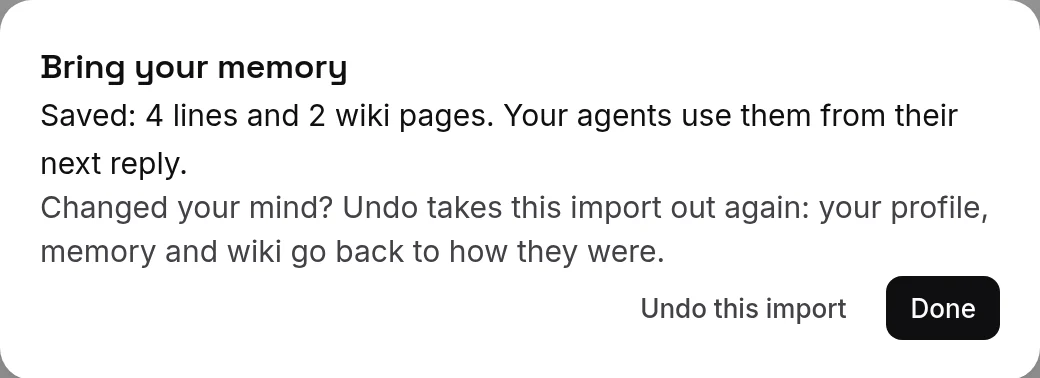
Right after you save, press Undo this import. Later, open Account menu → Bring your memory… and press Undo this import next to it under Earlier imports. Your profile, memory and wiki go back to how they were before that import.
If you don't see it
Bring your memory shows only on accounts where it is switched on. If your Account menu doesn't list it, it isn't on for your account yet.
Didn’t answer your question? Email support@ipsion.ai and say what you were trying to do.