Build an app with App Builder
App Builder is one of your agents. Tell it, in plain words, the app you want: a tracker, a price list, a booking page, a small tool for your team. It builds a first version, tests it, and puts it in My apps, where only you can open it until you make it public.
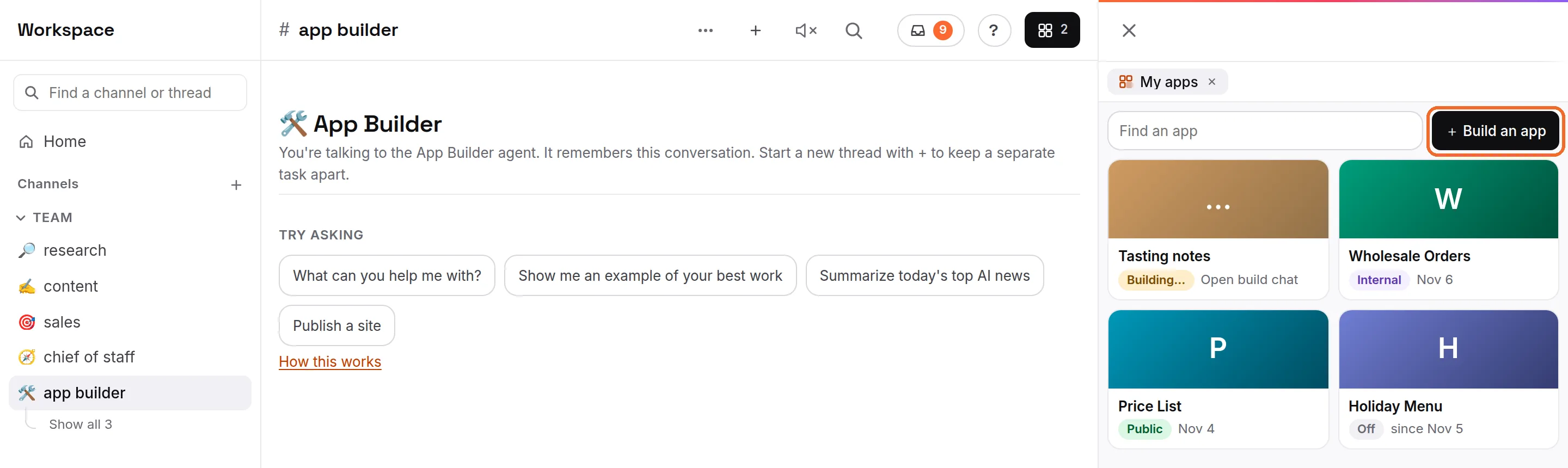
Start an app
- Open My apps: press Live (the button at the top right), then the My apps tab, which is always first. Or press Account (the person icon at the bottom of the list), then My apps under Your AI.
- Press Build an app.
- Type a name for the app, for example "Deal tracker", then press Create. A new thread with App Builder opens in the chat, named after the app. If you press Cancel, the thread is still made and takes its name from your first message.
- Say what the app is for and who uses it, then press Send. App Builder asks at most one short question when your ask is unclear; otherwise it builds a first version straight away and shows it to you.
- When it is ready, App Builder replies with the link and buttons to open it, change something or make it public. The app is in My apps.
- One thread per app: each app has its own thread with App Builder. To change an app later, ask in the thread that built it. A second app gets a thread of its own.
- An empty thread is reused: pressing Build an app again while an empty App Builder thread is waiting opens that one instead of making another.
- You can also talk to it in its room: App Builder is in the list on the left like your other agents.
What My apps shows
My apps lists every page and app your agents published, with a search box (Find an app) at the top.
- A card per app: its name, who can open it (Public, Only you or Off) and the date it was published, or the date it was turned off.
- Building…: an App Builder thread that has no app yet. Press it to open that thread.
- Open an app: press its card. The app runs inside My apps, with Copy link and Open in new tab under it, and Open build chat at the top to go back to the thread that built it. In that thread, View in My apps opens the app again.
- ✨ Your agent built this for you: an agent may build a small app on its own for something you ask for again and again. My apps opens on it once, with that note, and only you can open it.
Who can open it: Public, Only you or Off
Open the app in My apps, then press the button at the top right that shows its setting (for example Only you ▾). Pick one:
- Public: anyone with the link. It is on the web now.
- Only you: only you, in Ipsion and signed in. The link doesn't open for anyone else. Every app App Builder makes starts as Only you.
- Off: nobody can open it. Ipsion keeps a copy, so you can turn it back on as it was.
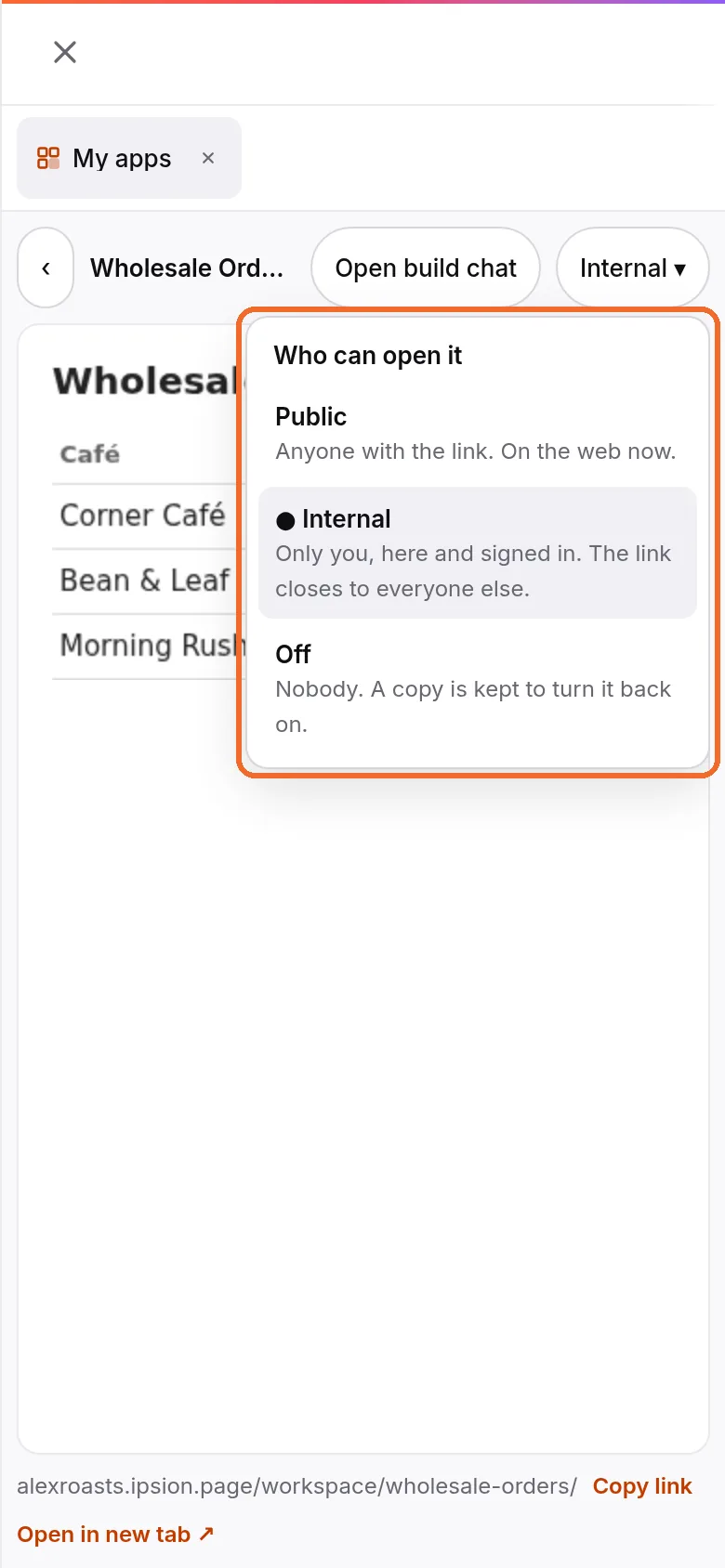
- Take an app offline: pick Off. The address stops working for everyone. To bring it back, open it in My apps and pick Only you or Public.
- Make an app public: pick Public yourself, or press Make public on App Builder's reply. App Builder never makes an app public without asking you first.
- Keep private things out of a public app: a public app can be opened by anyone who has the link. See Put your app or website online for the address, your own domain and saved data.
What App Builder asks you first
App Builder asks you on a card, every time, before it:
- makes an app public, or publishes your account's own website;
- buys anything, such as a domain, a developer account or a paid service (the card shows what, from whom and the price);
- submits an app to an app store;
- builds an app that keeps other people's personal details or takes payments.
It never puts a key or password in a page. If an app needs a key for another service, it asks you to add it in Connected accounts.
What it can't do yet
- Not on every server yet: if you don't see Build an app in My apps (it may read Publish a site instead), or there is no App Builder in your list, your server doesn't have it yet. Ask any of your agents to build and publish the app instead.
- No My apps in the menu? Your server shows Published apps instead. See Put your app or website online.
- A web app, not a store app: App Builder makes pages and web apps that open in a browser, in the console and in the phone app. Big apps with many users are better on a hosting service; see Put your app or website online.
On a phone
In the phone app, open the Profile tab, then My apps under Your AI: Build an app is at the top. Apps open inside the phone app, not in your phone's browser. The desktop app shows the same console as the web.
Questions about an app? Ask App Builder in the app's thread, or email support@ipsion.ai.
Didn’t answer your question? Email support@ipsion.ai and say what you were trying to do.